



What it is
APG GDPR texts for forms puts on your site’s forms the data protection information the GDPR requires, and the acceptance checkbox that goes with it, without your having to touch a single template.
It reaches WordPress’s comment form, the product review form, the WooCommerce registration form, the checkout —both the classic one and the block— and any other form where you place its shortcode. The acceptance is not decorative: it is checked on the server too, so it cannot be got around by switching JavaScript off or by posting straight to the API.
The texts come written, but they are a starting point: only you know what your site does with the data it collects, and what your form says is your responsibility.
It is a free plugin published in the official WordPress repository.
Requirements
- WordPress 5.0 or later.
- PHP 7.4 or later.
- WooCommerce 5.6 or later, optional: only for the registration, the checkout and the account deletion button.
Installation
- Search for APG GDPR texts for forms in Plugins -> Add New and press Install Now; or upload the ZIP from Plugins -> Add New -> Upload Plugin; or copy the folder into
/wp-content/plugins/over FTP. - Activate it from the Plugins menu.
- Set it up in Settings -> Adaptation to GDPR.
From the moment you activate it, the forms the plugin knows about already carry the block and the checkbox with the default texts. The first thing worth doing is reading them and putting your own in.
What the visitor sees
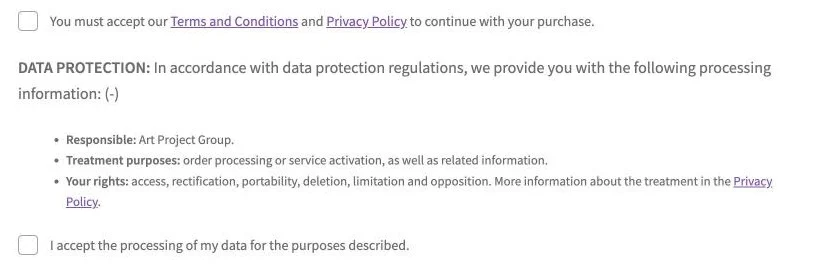 One discreet line above the send button: the title in bold, the phrase that goes with it and a (+). Pressing it opens the full information, and the (+) turns into a (-).
Inside go the three things the GDPR asks you to state before collecting a piece of data: who the responsible party is, what the data is going to be used for and what rights whoever gives it has, with the link to your privacy policy. Below it, the acceptance checkbox, which is required.
Folded it takes up one line and does not get in the form’s way; unfolded, the visitor has the information in front of them without leaving the page. That is the point: informing without the form ceasing to be usable.
The link to the privacy policy
The block ends by linking to your privacy policy, which is what makes the information complete. The plugin uses the page you have set under Settings -> Privacy, which is WordPress’s own and the one the rest of the site understands.
If there is none there, the settings screen opens one more block for you to choose a page or write an external address, and the address takes priority over the page. And while there is neither one nor the other, the plugin warns you on the dashboard: with no link, the information is only half there.
- Select a page: the page to link to when the site setting is not available.
- Custom URL: an address outside this site. It only appears once you choose Custom page.
The settings
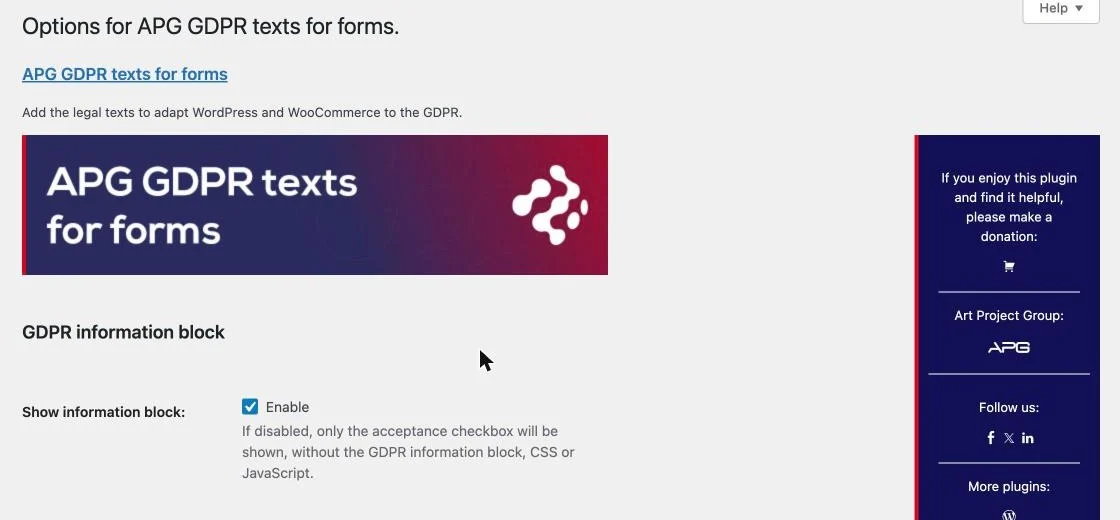 Everything is on a single screen, in Settings -> Adaptation to GDPR, and everything is wording. Each field comes filled in with the default text and what you write replaces it.
The screen hides the blocks that mean nothing on your site: the comments one if you have them closed, the WooCommerce ones if you do not have it installed, the privacy link one if you already have it set up in WordPress. What you have saved is not lost: it comes back the day what is missing comes back.
That screen also has WordPress’s Help tab, at the top right, with one panel per block.
The information block
- Show information block: switched off, only the acceptance checkbox is left, and the block, its stylesheet and its script are not loaded. For a site that already states this somewhere else and only needs the acceptance.
- Title: the heading in bold at the start of the line. DATA PROTECTION as it comes.
- Title description: the rest of the line, the one that ends with the (+).
Who and what for
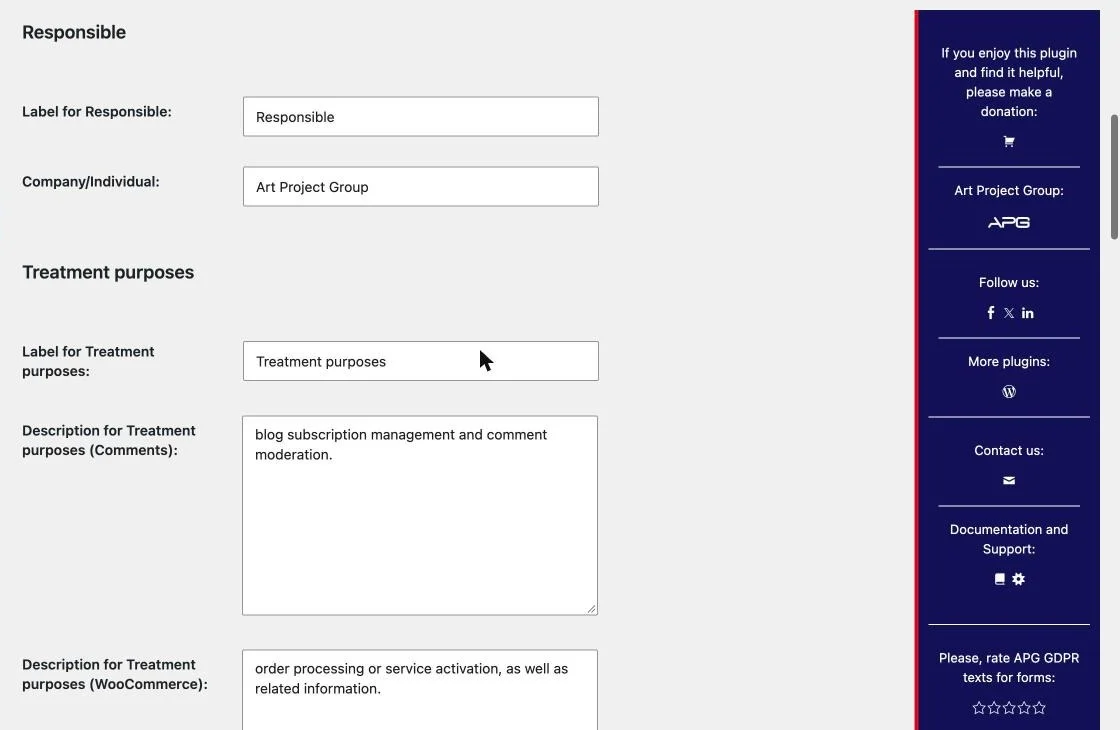
- Label for Responsible and Company/Individual: who answers for the data. The name of the site is used until you write your own.
- Label for Treatment purposes: the word in bold on that line.
- Description for Comments: what the data of whoever comments is used for. It only appears if your site has comments open.
- Description for WooCommerce: that of whoever buys or registers in the shop. Only with WooCommerce installed.
- Description for Default: that of any other form, which is the one the shortcode uses unless you tell it otherwise.
Your rights
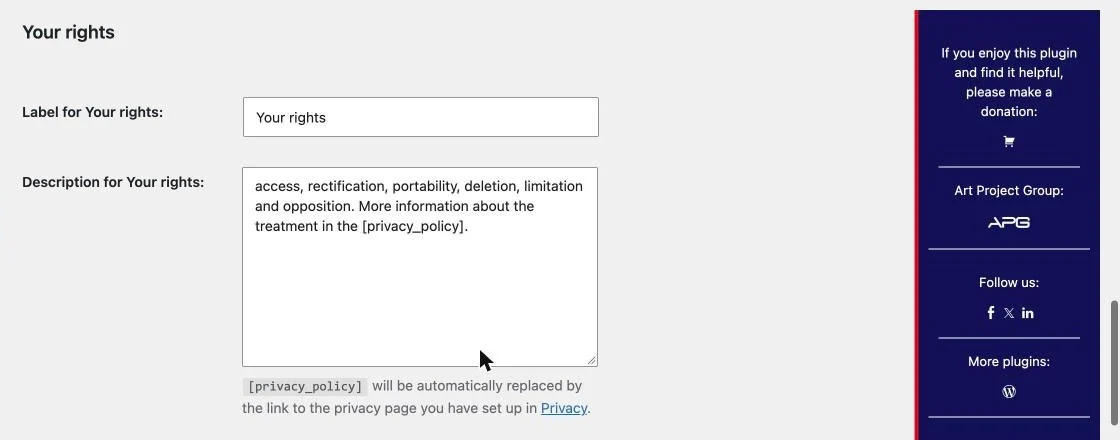
- Label for Your rights and Description for Your rights: what the visitor can ask for. Write
[privacy_policy]where you want the link to your privacy policy and the plugin puts it there, with the name of the page.
The checkbox and the validation
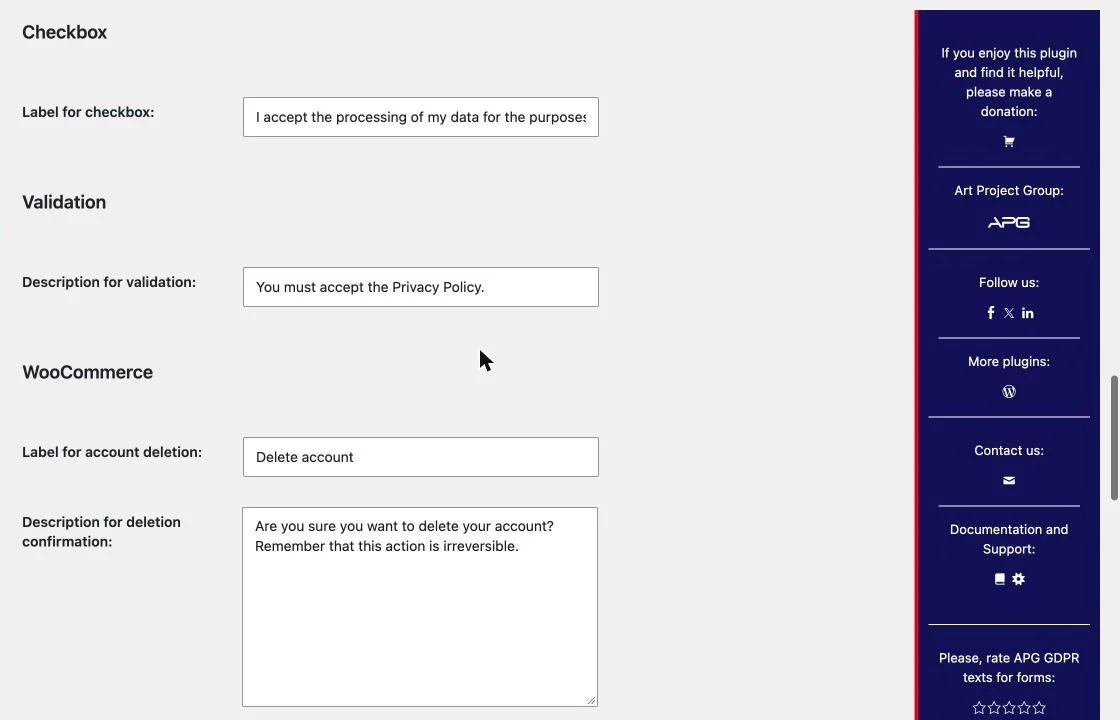
- Label for checkbox: what the visitor reads next to the box they have to tick.
- Description for validation: the error shown when somebody sends the form without ticking it.
The account deletion
These two only appear with WooCommerce. The plugin adds at the end of My account -> Account details a button for the customer to delete their account themselves, which is the right to erasure exercised without having to write to you.
- Label for account deletion: what the button says.
- Description for deletion confirmation: the question asked before deleting.
The button is never shown to an administrator, and the deletion takes that user’s content with it, so there is no going back. On a site where the customers write content that has to stay, the apg_rgpd_reasignar_contenido filter allows it to be reassigned to another user instead of deleted.
The appearance
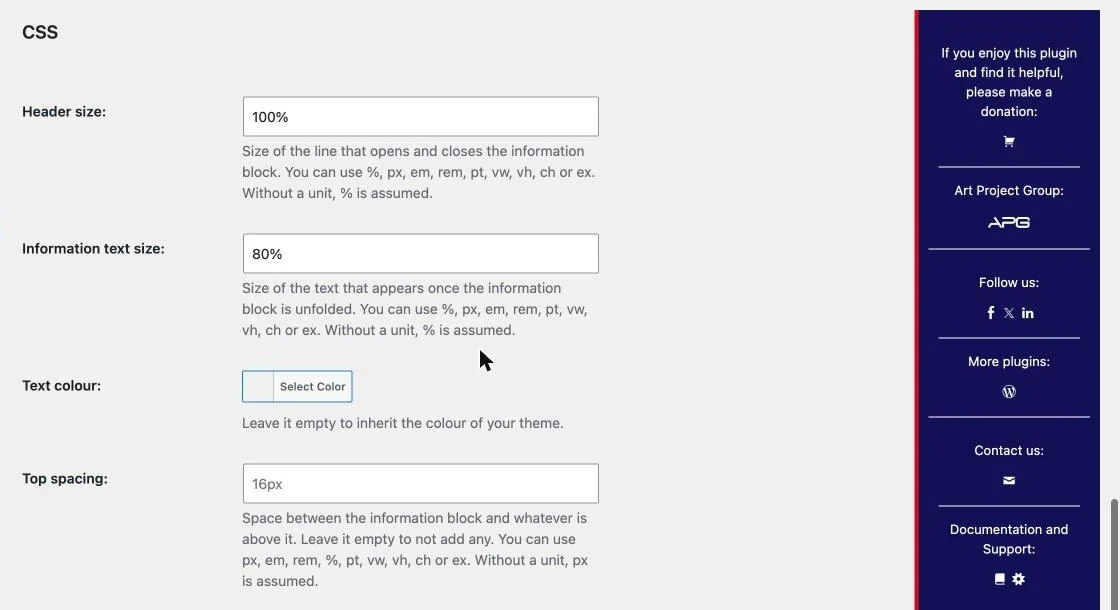 Four fields instead of a box to write CSS in, so that nothing typed here can end up being an arbitrary rule on your page.
- Header size: that of the line that opens and closes the block. 100% as it comes.
- Information text size: that of what is inside once it is open. 80% as it comes.
- Text colour: empty, the block inherits the colour of your theme, which is what keeps it readable on a dark theme.
- Top spacing: the gap between the block and whatever is above it. Empty, none is added.
The sizes accept %, px, em, rem, pt, vw, vh, ch and ex. A number on its own means % in the sizes and px in the spacing, and anything that does not fit is discarded and falls back to the value it came with.
Below the fields, the screen shows the exact stylesheet they produce, so that you know what is being injected into your pages. 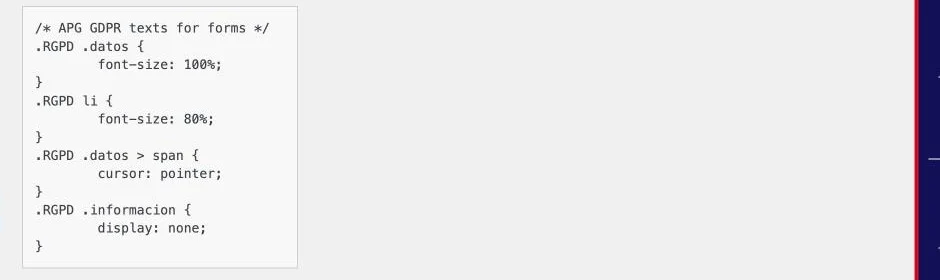
The shortcode
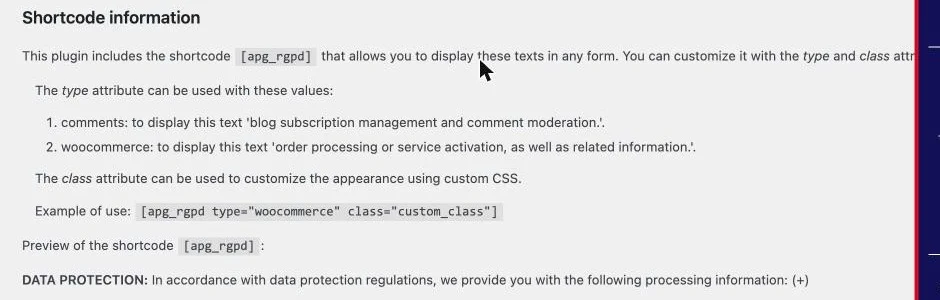 For any other form: a contact one, a subscription one, one built with a page builder.
[apg_rgpd]: the information block, with the Default purposes text.type: which purposes text to use,comments,woocommerceorcontact, which is the one it comes with. A value that is not one of those three falls back tocontactinstead of leaving the line unwritten.class: one more CSS class on the block, to lay that one out differently.
For example, [apg_rgpd type="woocommerce" class="mi_clase"].
The settings screen shows a live preview of the shortcode below it, with your texts already in place, so there is no need to publish anything to see how it looks.
Contact Form 7 works without your doing anything else: the plugin makes its forms expand shortcodes, so the block goes straight inside the form.
On WordPress’s forms
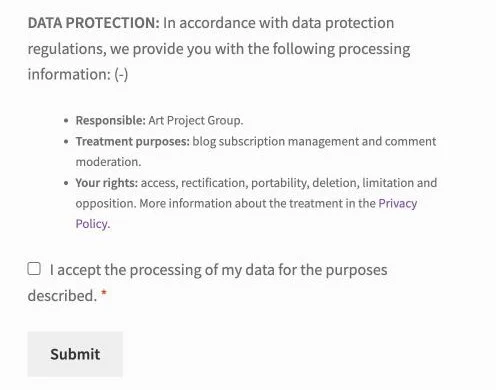 On the comments and on the product reviews, the block and the checkbox go in right above the send button.
The acceptance is required: a comment sent without ticking it is not saved, and whoever tries gets the message you have written in Description for validation.
If your site uses wpDiscuz for the comments, the plugin steps aside on its own and does not touch that form, because wpDiscuz has its own consent handling and two checkboxes would be one too many. To force it one way or the other there is the apg_rgpd_gestiona_comentarios_nativos filter.
If you use Jetpack, its subscription checkbox is kept and drawn alongside the block, not lost.
In WooCommerce
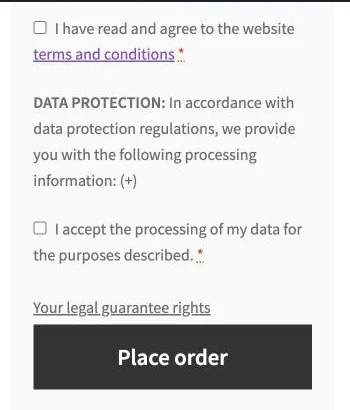 The block and the checkbox go in three places: the registration form, the classic checkout —after the terms and conditions, above the place order button— and the Checkout block, in the same order.
On the block checkout there is more work to it than it looks, because there the form is not submitted: a JSON is posted to WooCommerce’s Store API. The plugin declares its consent field on that endpoint, validates it on the server and stores it on the order, with its date, in _apg_rgpd_consentimiento and _apg_rgpd_consentimiento_fecha. That way there is a record that the customer accepted and of when, which is what counts if one day it has to be proved.
While the box is not ticked, the order is blocked by the same mechanism WooCommerce’s own fields use, and the message does not come up in red until the customer tries to pay.
If your shop takes payment with express methods such as Apple Pay or Google Pay, which post to the Store API without going through the form, the apg_rgpd_valida_checkout_bloques filter allows that check to be switched off.
Several languages
The texts you write yourself work with WPML and with Polylang, through the plugin’s wpml-config.xml: they are registered as admin texts and each language has its own. The plugin’s interface is in English and in Spanish.
Privacy and external services
The plugin collects no data from the visitor and sends nothing anywhere. All it stores is your own settings and, on the block checkout, the mark that that customer accepted and the date, inside their order.
The only external request is made by the plugins screen and the settings screen, to show the plugin’s rating on WordPress.org. It carries the plugin’s slug and nothing else, it is cached for 24 hours and, if it fails, the screen says the rating is unknown and carries on working.
On uninstalling, the settings and the two transients it uses are deleted. What you have written on your pages with the shortcode stays where it is, because it is your content.
The help inside the plugin
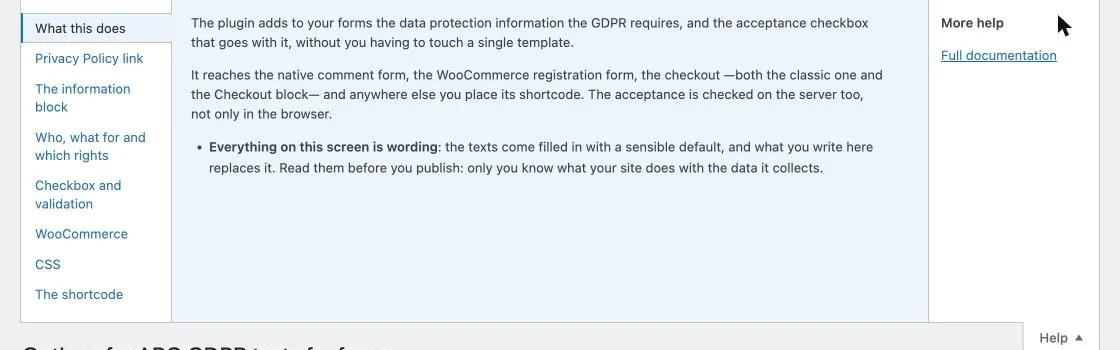 The settings screen has its own help, in the Help tab at the top right, with one panel per block and the explanation of each field without leaving it.
The help carries all eight panels even when the screen hides one of its blocks, and says what each one depends on: it is more use to know why something is not there than not to find it.
For developers
apg_rgpd_gestiona_comentarios_nativos: decides whether the plugin touches WordPress’s comment form. Returnfalseto leave it to another plugin, ortrueto force it even with wpDiscuz present.apg_rgpd_valida_checkout_bloques: returnfalseand the block checkout stops requiring the acceptance on the server. For shops with express payment methods.apg_rgpd_reasignar_contenido: the user the content is reassigned to when a customer deletes their account. As it comes, nothing is reassigned and the content is deleted with the account.
Version history
Support
APG GDPR texts for forms is a free plugin and APG does not give free technical support. If you need help with the installation or the setup, there is our technical support service.
The plugin puts the texts in place and stores the acceptance; what those texts say, and whether they match what your site really does with the data, is your business and, if in doubt, your legal advisers’.
For questions about what you read here, the comments below are open. And if you find it useful, you can make a donation or leave a review in the WordPress repository, which is what keeps the plugin alive.
Help
APG GDPR texts for forms is a completely free plugin for WordPress, so if you want to help APG keep it free, you can make a donation towards its improvement and maintenance.
Comments


