





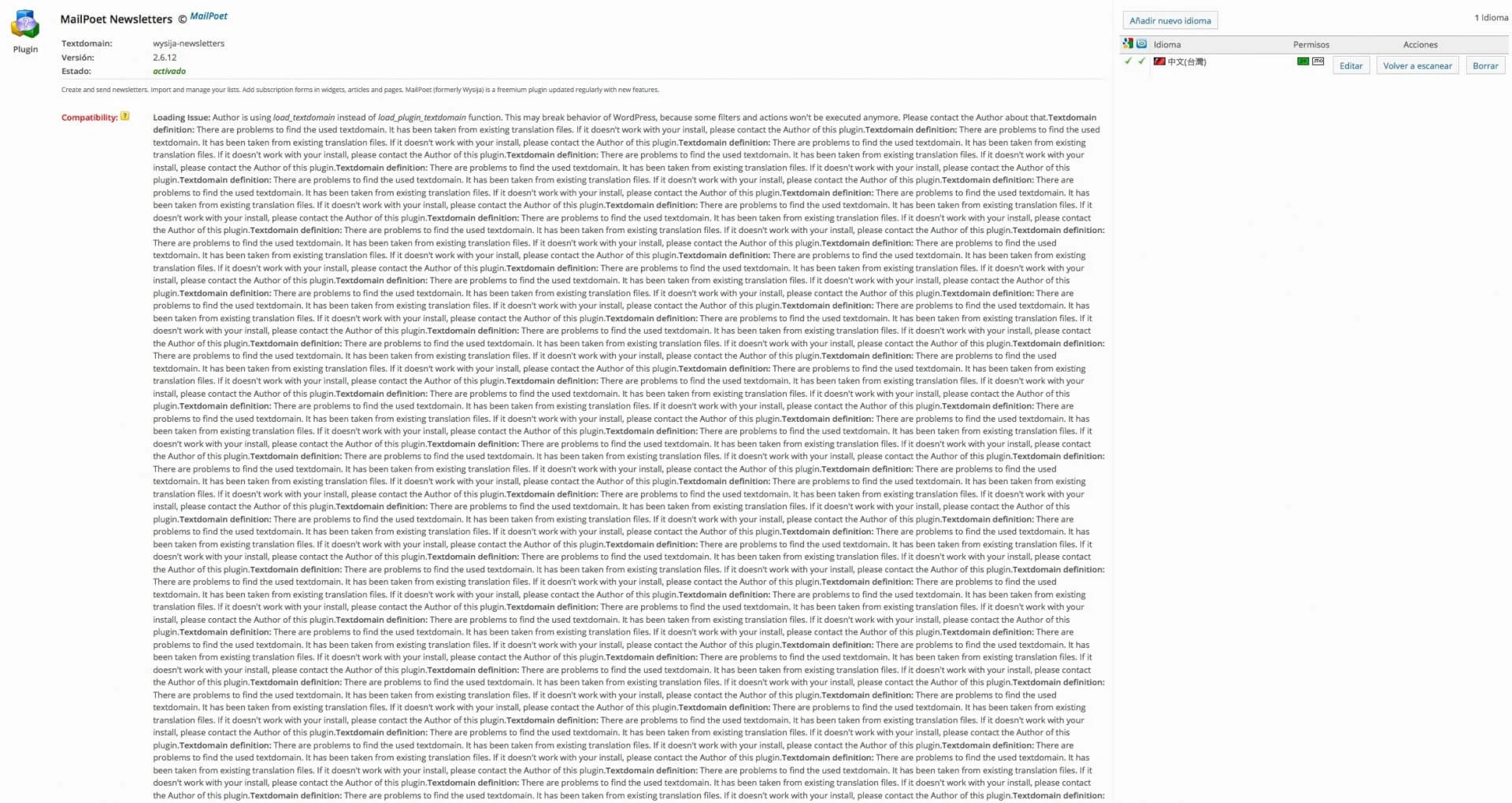
MailPoet Newsletters in CodeStyling Localization
Over the course of last week we came across two situations in which we needed to translate some texts into Spanish, in a WordPress plugin and in a WordPress theme, and, in both cases, it was not possible to use the WordPress plugin Codestyling Localization.
First case
The first case was caused by the plugin MailPoet Newsletters, which only shows Traditional Chinese and an enormous compatibility error text generated by Codestyling Localization. Although we reviewed the plugin’s source code and tried to force the languages to appear correctly, it was not possible, so in the end we had to use the all-powerful Poedit, where we came across another problem.
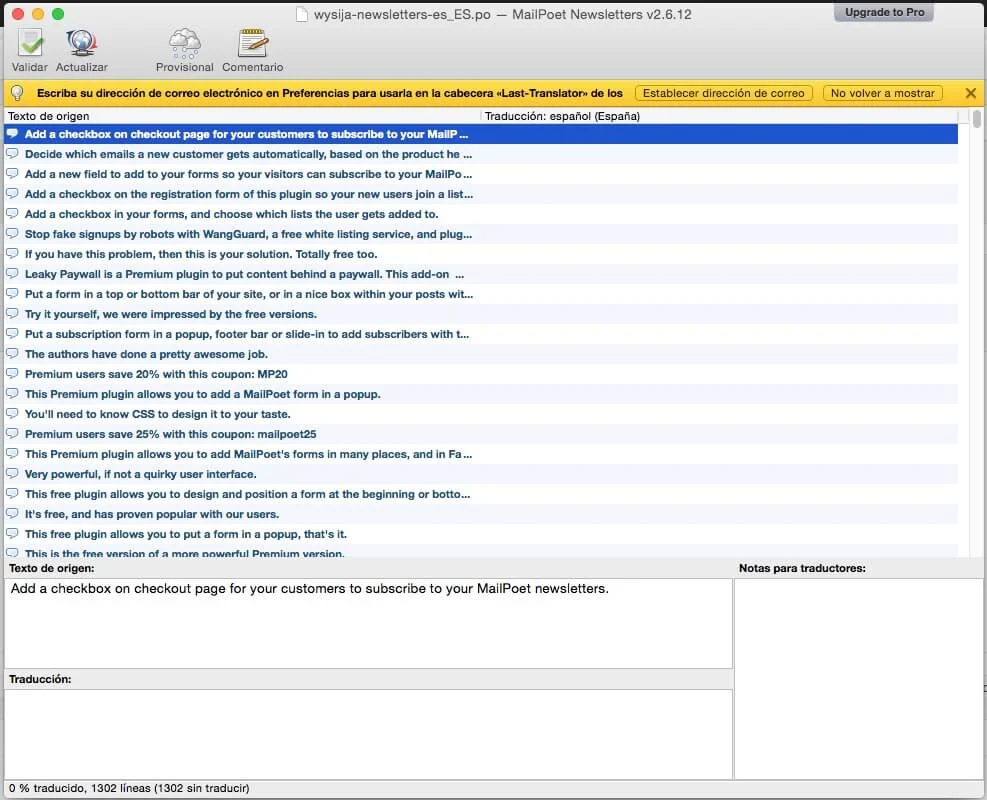
MailPoet Newsletters in Poedit without translated texts
After downloading the wysija-newsletters-es_ES.po and wysija-newsletters-es_ES.mo files by FTP and trying to open the wysija-newsletters-es_ES.po file in Poedit, we found that all the Spanish texts are empty, so this application is of absolutely no use to us.
How do you solve it?
To solve it we are going to use an online tool created by Kaspars Dambis. At http://tools.konstruktors.com/ we find a converter of .mo files to .po and of .po files to .mo, and yes, we are going to use both.
First we are going to upload the wysija-newsletters-es_ES.mo file to the .mo to .po file converter and download a new wysija-newsletters-es_ES.po file which, this time, will correctly show the Spanish texts in Poedit, and will allow us to translate or edit those texts we need.
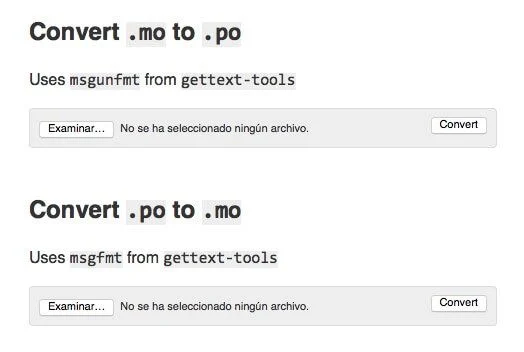
http://tools.konstruktors.com/
Once we have finished with the translation or editing, we save the new wysija-newsletters-es_ES.po file and go back to http://tools.konstruktors.com/, where we will now use the .po to .mo file converter, which will generate a new wysija-newsletters-es_ES.mo file for us.
Once we have the new modified .po and .mo files, all that is left is to upload them again to their folder by FTP and the plugin will use the new modified texts.
Precautions
Since we have modified the original Spanish .po and .mo files of MailPoet Newsletters, we must make sure that future updates of the plugin do not destroy the work we have done. To do so we must create a new folder in the path /wp-content/languages; specifically, in this particular case, we are going to create the folder wysija-newsletters, and there we are going to save the same files we have created and uploaded earlier.
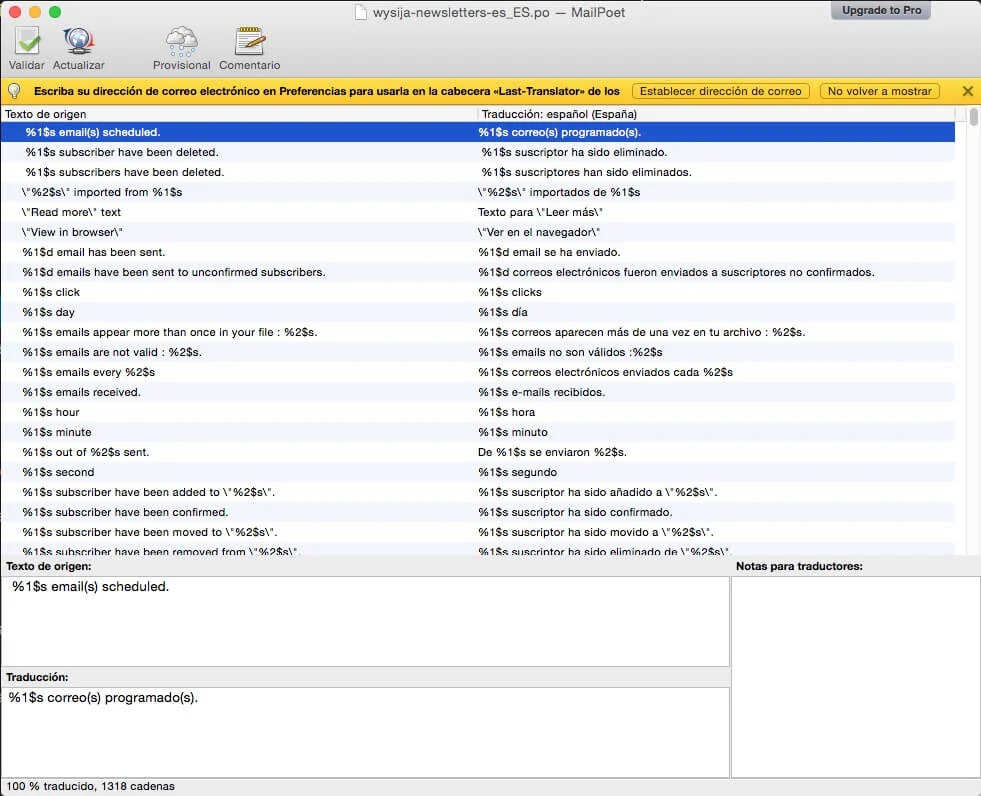
MailPoet Newsletters in Poedit with translated texts
Thanks to this small action we make sure our work is shielded.
Second case
The second case was caused by a WordPress theme, specifically The Company, which showed an error message because no translation file existed.
How do you solve it?

The Company in CodeStyling Localization
In this case, what we did was create a languages folder in the The Company folder, /wp-content/themes/thecompany, and we created and activated a child theme of it.
Once the child theme had been created, we added the following PHP code to its functions.php file:
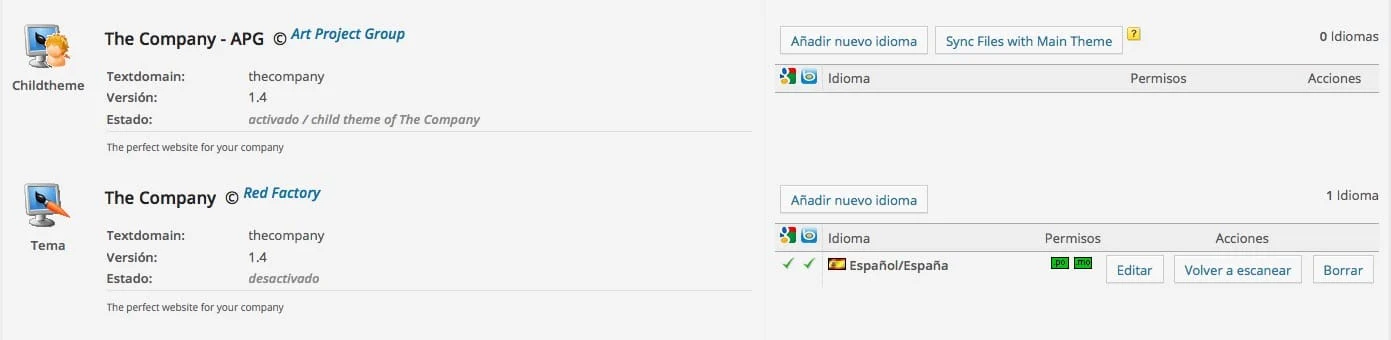
The Company and its child in CodeStyling Localization
After which the error message that was shown to us before disappears and, this time, it does allow us to add the Spanish language so that we can translate all those texts we need.
Precautions
Since in this particular case no previous language files exist, we should not have problems with future updates; even so, it is a good idea to save a backup copy of the .po and .mo files generated from Codestyling Localization.
We hope that with these small guidelines for action you will be able to solve the not inconsiderable problems that translating WordPress plugins and themes creates for us, although you will no doubt tell us about your own particular cases, so we look forward to your comments.
Related posts




Comments
Products and services
-
 WP Total Updater
From: 42,35 € / MONTH
-
 Performance Improvement
From: 181,50 €
-
 Security Improvement
181,50 €
-
 Multilingual Starter Kit
121,00 €
-
 WC - APG ecoSoftWEB

Art Project Group is now available in English. The whole site is translated: every plugin page, the full documentation and the support centre.
artprojectgroup.com #WordPress #WooCommerce

How do you set up WC - APG Cont4?

Se ha publicado #WooCommerce 11.2.2: actualización de seguridad que refuerza las API REST y Store, mejora la validación de CSV y corrige problemas en pagos y pedidos. Incluye cambios en la base de datos.
¡Actualiza cuanto antes!
¿Cómo se configura WC - APG myGESTIÓN?

¿Cómo se configura APG Multisite Suite?


